A crypto point of sale doesn't need a terminal. The whole job of a POS — show the customer what to pay, take the payment, confirm it happened — can be done with a printed QR code on your counter and a phone or tablet behind it watching payments arrive live. No rented hardware, no per-swipe percentage, no settlement delay.
This guide covers the practical setup for cafés, shops, market stalls, salons and restaurants: what to print, how customers actually pay, how you confirm a payment in seconds at a busy counter, and where the classic card-terminal costs disappear to.
how a hardware-free crypto POS works
Three pieces replace the card terminal entirely:
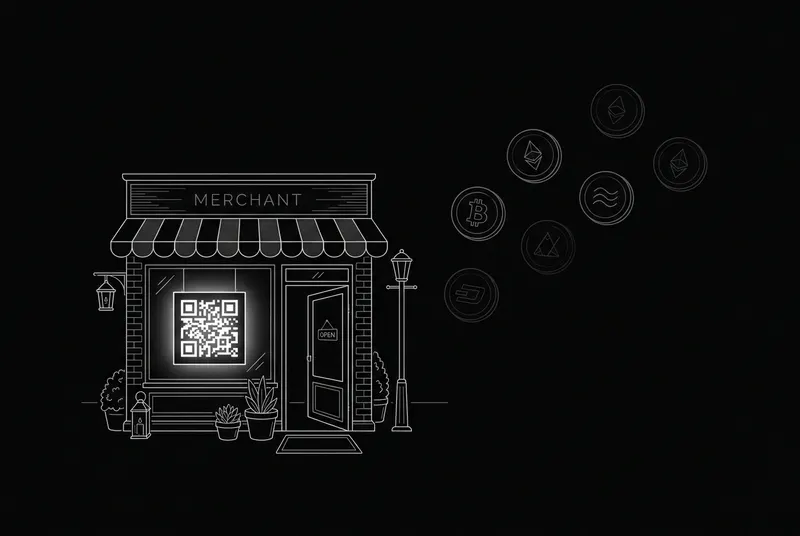
- a printed QR standee at the counter — it encodes your payment page, where the customer picks a coin and pays
- the customer's own wallet app — they scan, choose USDT/BTC/whatever they hold, and send; nothing to install
- your dashboard on any phone or tablet — payments appear live within seconds of hitting the chain, with a chime if you want one
Because payments settle wallet-to-wallet on-chain, there is no acquirer, no processor and no holding account in the middle. The customer's wallet talks to the blockchain; the blockchain is your settlement layer; your dashboard is just a window onto it.
setting up your counter in 15 minutes
- 1. Create your free payment page and add your wallet addresses (public addresses only — never a seed phrase).
- 2. Enable the coins locals actually hold — in most markets that's USDT first, then BTC and a cheap regional chain like Tron or Solana.
- 3. Print the QR standee (crypt.pe generates a ready-to-print PDF with your QR and handle) and put it by the till.
- 4. Open your dashboard on the counter phone/tablet and leave the payments tab up.
- 5. Do one $1 test payment from your own wallet so staff see the full flow once.
the checkout flow, step by step
A typical in-store crypto payment takes 20-40 seconds:
- you tell the customer the price (in your local currency — they can see the live coin conversion on your page)
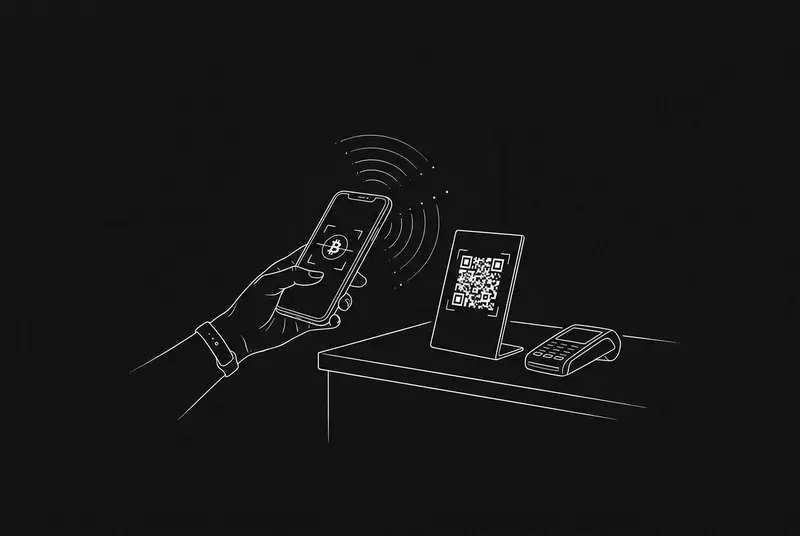
- customer scans the standee QR with their phone camera or wallet app
- they pick a coin, the page shows the exact amount and address, their wallet pre-fills it
- they hit send; you watch your dashboard — the payment appears with a sound the moment it's detected
- for coffee-sized amounts, first detection is enough; for big-ticket sales wait for confirmations (your tool should show depth automatically)
Staff training is genuinely one sentence: 'when the green payment pops up on the tablet with the right amount, hand over the goods.'
what about exact amounts at a counter?
Two modes work in-store. Open-amount mode is fastest: the standee QR opens your page, the customer types the amount you tell them. It's the right default for cafés and quick trade.
Exact-amount mode uses per-sale invoices: you create a tracked invoice for the precise total and show its QR to the customer (from the tablet screen). It takes ten extra seconds and gives you locked amounts and automatic matching — worth it for salons, repairs and anything over ~$50.
crypto POS vs card terminal — the money
| card terminal | crypto POS (crypt.pe) | |
|---|---|---|
| hardware | $300+ or monthly rental | a printed QR — ~$0 |
| per-transaction | 1.5–2.9% + fixed fee | 0% (payer covers cents of network fee) |
| settlement | 1–7 days to your bank | minutes, straight to your wallet |
| chargebacks | yes — with fees and holds | none; confirmed payments are final |
| works offline-ish | needs its own connectivity | customer's phone does the paying |
On $10,000 of monthly counter revenue, a 2% terminal takes $200 every month, forever. The crypto rail's marginal cost is a laminated piece of paper.
practical realities to plan for
- volatility: price in your local currency and prefer stablecoins — a USDT sale is worth the same at closing time
- confirmations: sub-$50 sales are fine on first detection; set a house rule (e.g. 1 confirmation) for larger tickets
- refunds: on-chain payments don't auto-reverse — take the customer's address and send back explicitly, and log it
- taxes: record the local-currency value of each sale at payment time (a good dashboard does this and exports CSV)
- theft-proofing: the standee only ever shows a receiving address — swapping it is the one attack to watch, so laminate it and glance at the handle printed on it
who this works best for
Hardware-free crypto POS shines anywhere card economics hurt or card infrastructure is weak: tourist-facing businesses with crypto-holding visitors, high-adoption markets across Africa, Latin America and South-East Asia, market stalls and pop-ups that can't justify terminal rental, and any counter where a 2-3% fee on small tickets stings.
It also stacks with your existing till: crypto doesn't replace cards or cash on day one — the standee just quietly adds a zero-fee option next to them, and you watch what share of customers choose it.
references
- [1]BIP-21 payment URI scheme (QR payments)
- [2]Solana Pay specification
- [3]BTCPay Server point-of-sale docs
primary sources last verified — details may change; confirm on the source pages.
frequently asked
Do I need a crypto POS terminal or special hardware?
No. A printed QR standee plus any phone or tablet showing your dashboard is a complete crypto point of sale. The customer's own wallet app does the paying.
How fast is a crypto payment at the counter?
Detection is typically seconds after the customer hits send on chains like Tron, Solana or Base. Small purchases can be handed over on first detection; larger sales should wait for a confirmation, which your dashboard tracks automatically.
What if the customer doesn't have crypto?
The standee is an additional option next to your existing till, not a replacement. Customers who hold crypto use it; everyone else pays as usual.
How do refunds work at a crypto POS?
There's no automatic reversal on-chain. Ask the customer for their receiving address and send the refund explicitly — then tag the original payment as refunded in your dashboard so your records stay clean.