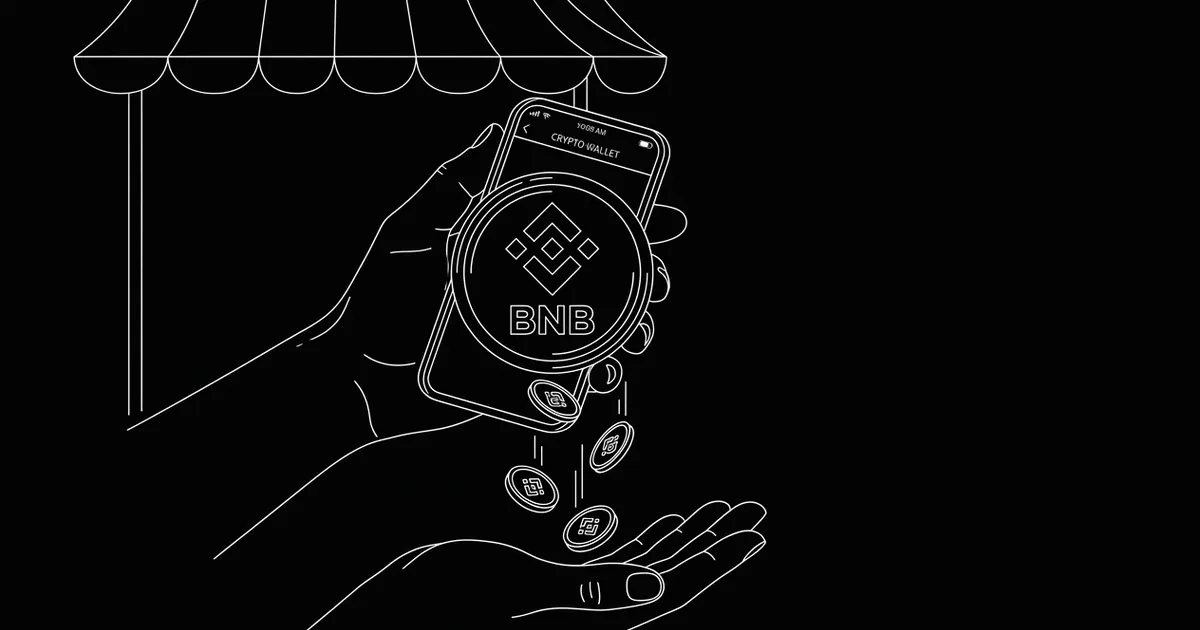
BNB's merchant case is distribution: it's the native asset of the Binance ecosystem, which means an enormous number of retail customers — especially across Asia, the Middle East and Latin America — already hold it and already have a wallet that pays with it in two taps.
This guide covers who those customers are, what a BNB payment actually costs next to the alternatives, the network-selection mistake that causes most support tickets, and a non-custodial setup where every payment lands in a wallet only you control.
why BNB — the distribution argument
Most coins ask 'will my customers acquire this to pay me?'. BNB inverts it: a large slice of global retail crypto users already hold BNB from trading, launchpads or fee discounts, and Trust Wallet (the ecosystem's default self-custody app) makes paying a QR invoice trivial. If your customer base skews toward markets where Binance is the on-ramp of record, BNB belongs on your payment page.
Payments settle on BNB Smart Chain (BSC) — an EVM chain, so it uses the same 0x… address format as Ethereum, with block times of a few seconds and fees of a few cents.
what a BNB payment costs
Side by side on a typical online order:
| method | cost on a $90 order | spendable in | reversible? |
|---|---|---|---|
| BNB on BSC | a few cents (paid by customer) | seconds | no — final |
| Ethereum mainnet | $1–5 gas | ~15 sec – 2 min | no — final |
| card (online) | ~$2.90 + FX surcharges | days to settle | chargebacks for months |
| PayPal cross-border | $4–5+ after FX | instant-ish, hold risk | disputes reverse it |
On a non-custodial page the platform fee is 0% — the network fee above is the entire cost of the payment, and the customer pays it.
wallet setup
Any self-custody EVM wallet works: Trust Wallet is the natural fit for BNB, and MetaMask, SafePal or a hardware wallet all support BSC. Your BSC address is the same 0x… address you'd use on Ethereum — one seed backup covers both.
Share only the public address with your payment tool — never a seed phrase. On crypt.pe, paste the address once and BNB appears on your payment page with a QR and live pricing in your display currency.
a worked example: the electronics shop
An online accessories shop does 150 orders a month at a $90 average — $13,500 in volume, much of it from Southeast Asia. Cards take roughly 2.9% plus cross-border surcharges and reserve a chargeback window: call it $400–500/month in fees plus the occasional clawed-back order.
Offering BNB at checkout: customers who already hold it pay in seconds from Trust Wallet, the shop's network cost is zero (the customer pays cents), there are no card-network chargebacks on confirmed payments, and settlement goes straight to the shop's own wallet. Even converting a chunk to stablecoins after settlement, the shop keeps percentage points it was previously handing to processors.
pricing and volatility
BNB moves like any major crypto asset, so price the sale in your currency and let the payment page convert at payment time with a short locked quote — the customer pays an exact BNB amount and drift never becomes a dispute. Post-settlement, converting a portion to USDT or USDC on the same chain takes minutes and stays entirely your decision.
confirmation policy
BSC produces blocks every few seconds, so payments feel immediate at the counter and in the checkout. On crypt.pe, detection is automatic and confirmation depth scales with amount — small sales flip to paid in seconds, large ones wait a few extra blocks for comfortable finality, still well under a minute.
mistakes to avoid
- The wrong-network withdrawal. Customers paying from an exchange must choose 'BNB Smart Chain (BEP-20)' as the withdrawal network — a good payment page states this next to the QR, which prevents most support tickets before they happen.
- Confusing BNB with BEP-20 tokens. USDT on BSC is a token on the same network — a different asset. Track what the customer actually selected.
- Receiving into an exchange deposit address. Deposit addresses get rotated; receive into keys you control.
- Leaving revenue on a hot phone wallet. Fine for receiving; move accumulated balances to a hardware wallet on a schedule.
- Skipping the test payment. One $2 test validates the address, the network label and the receipt.
go-live checklist
- 1. Create or reuse a self-custody EVM wallet; back up the seed on paper.
- 2. Paste the 0x address into your payment page and enable BNB.
- 3. Send yourself a small test payment via BSC and check the receipt.
- 4. Put the link on invoices, your site and the printable QR standee.
- 5. Decide a post-settlement policy: hold, convert a portion to stablecoins, or sweep monthly.
references
primary sources last verified — details may change; confirm on the source pages.
frequently asked
How do I accept BNB payments as a business?
Add your public 0x wallet address to a non-custodial payment page, share the link or QR, and payments settle directly to your wallet on BNB Smart Chain in seconds. With crypt.pe there's no identity check required to start and 0% platform fees.
Which network should customers use to send BNB?
BNB Smart Chain (BEP-20). Customers withdrawing from an exchange should select the BEP-20 network; a good payment page displays this next to the QR so nobody guesses.
How fast do BNB payments confirm?
BSC produces blocks every few seconds, so payments are spendable in seconds with network fees of a few cents. A payment gateway applies amount-based confirmation depth automatically.
Is accepting BNB safe for merchants?
Confirmed on-chain payments are final — no card-network chargebacks. Keep it non-custodial (funds go straight to your own wallet), protect your seed phrase, and enable 2FA on your account.